Simple pricing

One plan. Everything included.

No per-review charges and no setup fee. Cancel whenever you like.

This is the whole product

Two screens do most of the work: the page your customer sees on their phone, and the dashboard where everything they said lands.
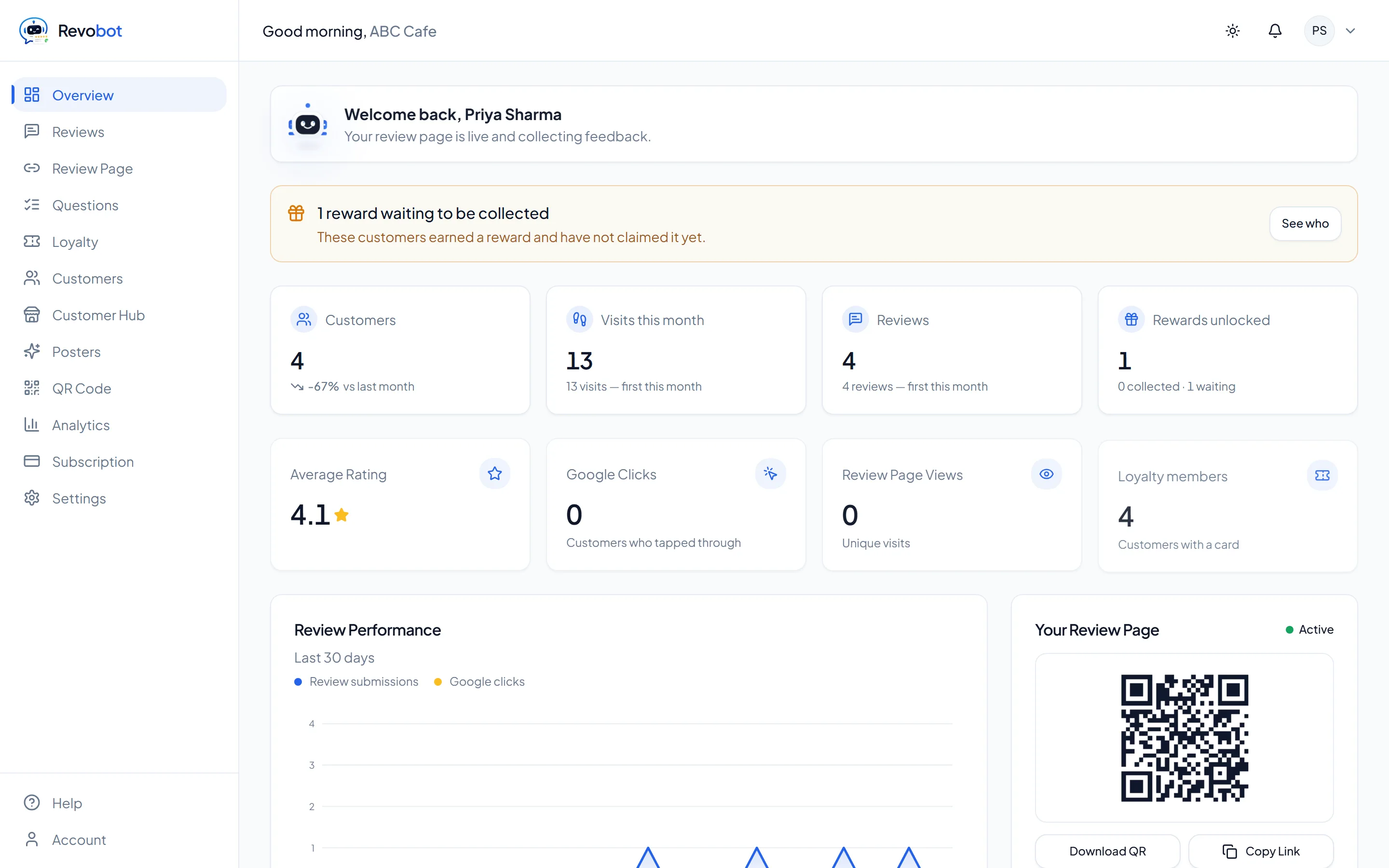
The Revobot dashboard for a cafe, showing 4 customers, 13 visits this month, 4 reviews, an average rating of 4.1, a 30-day review performance chart and the business's own review-page QR code.
The owner’s dashboard
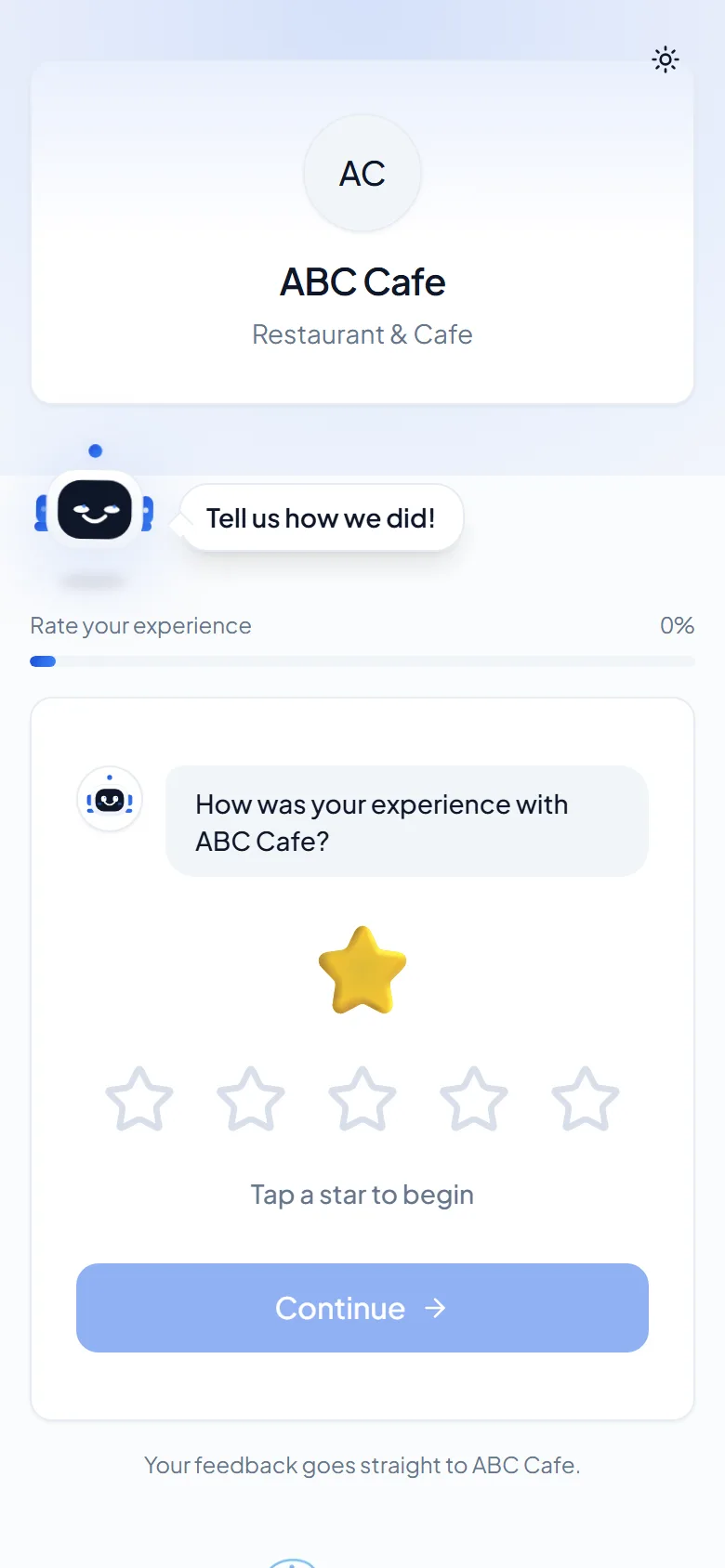
The customer-facing review page on a phone: the business name and logo, a friendly prompt reading 'Tell us how we did', a five-star rating selector and a Continue button.
What your customer sees
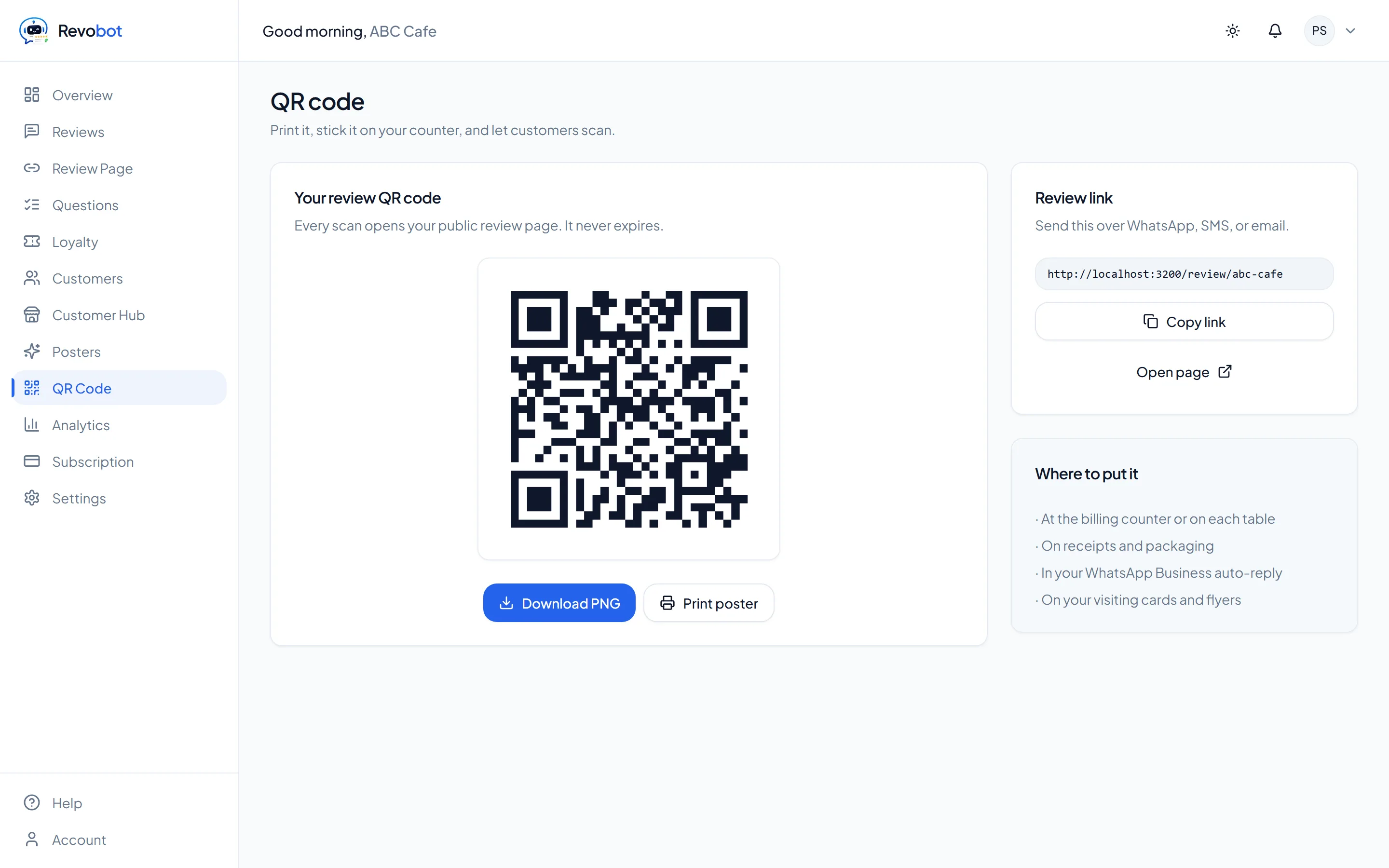
The QR code screen in Revobot, showing a printable review QR code for the business with download and print controls.
Your printable QR codeDownload it, print it, put it where customers already stop.
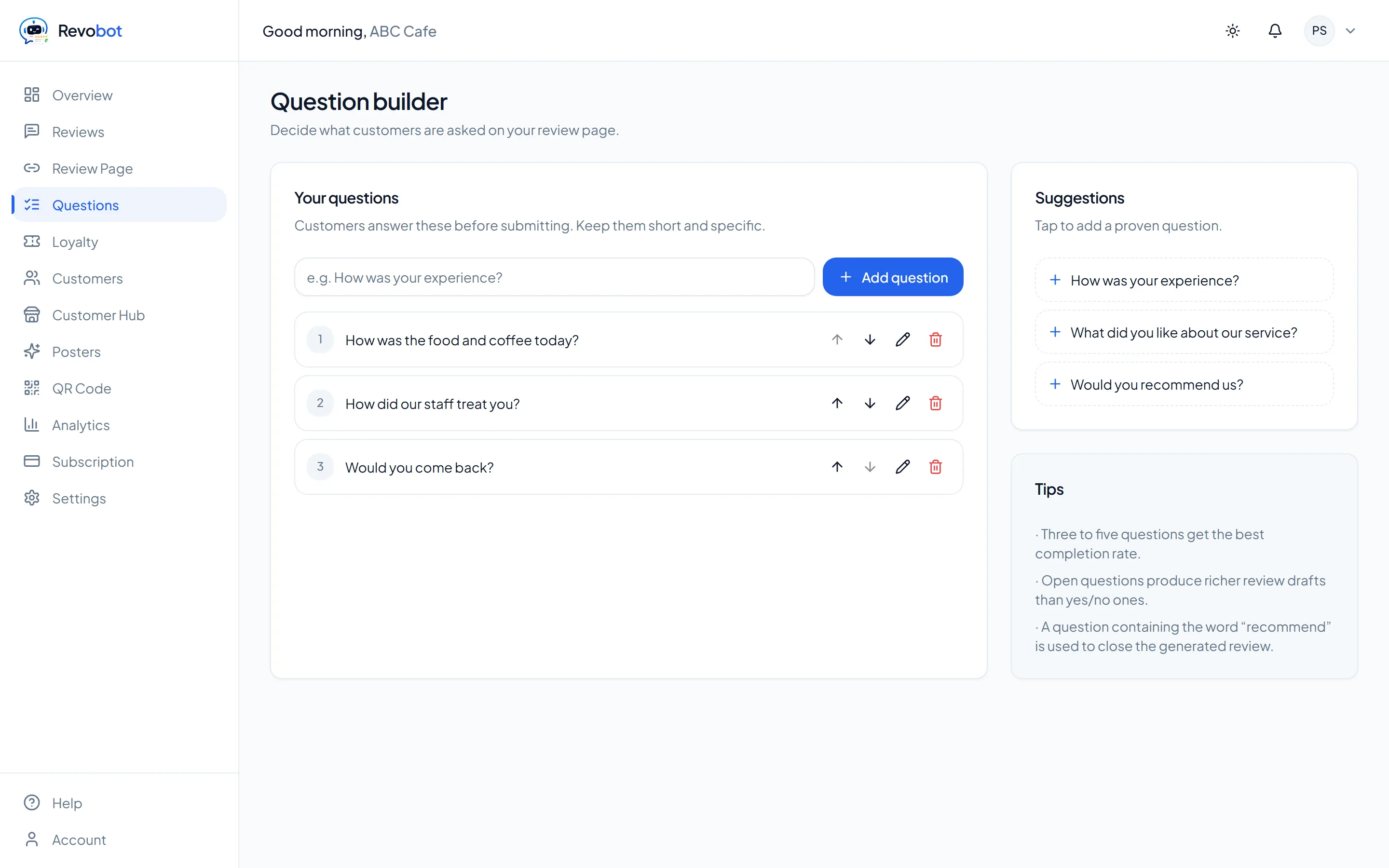
The question builder in Revobot, listing the questions a business asks its customers with controls to add, edit and reorder them.
Questions you writeAsk what matters for your trade. Add, edit and reorder any time.
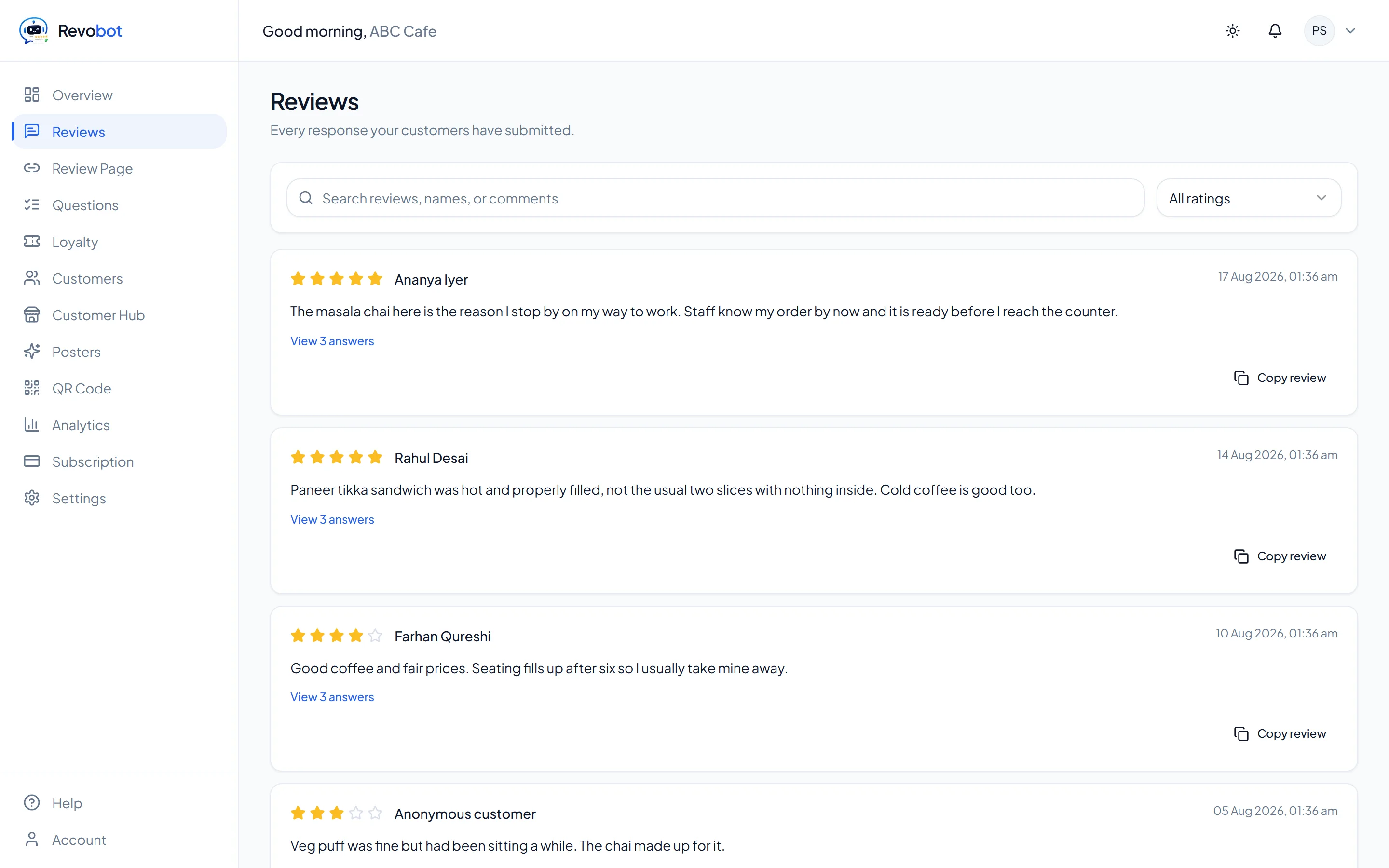
The reviews screen in Revobot, listing customer responses with star ratings and the answers each customer gave.
Every response, including the low onesNothing is hidden from you. Search and filter the lot.

Screens captured from the running product, not mockups. Try it free and they will be your own numbers.

Frequently asked questions

What happens after I subscribe?

Your dashboard unlocks immediately. Add your Google review link and questions, then share your review page or QR code with customers.

Can I cancel anytime?

Yes. Cancel from the Subscription page and you keep access until the end of the billing period you already paid for.

Do my customers need an account?

No. Your review page is public. Customers just open the link, answer the questions, and submit.

How is payment handled?

Billing runs through Razorpay. Cards, UPI, and net banking are all supported, and we never store your card details.